No roaming stress, just connection.
This Pocket WiFi Turkey Unlimited rental is a simple way to land in Istanbul and stay online from day one, without hunting for public hotspots. I like that it’s a true pocket-size router you can carry easily, and I like that Turkcell setup is handled by an official agent, so they register the SIM for you. One drawback to keep in mind: in a real case, the signal worked at first and then dropped off later, so you’ll want the support contact ready.
You’ll get your own mobile WiFi zone, which you can share with whoever’s traveling with you nearby. That matters if you’re bouncing between neighborhoods, checking maps, or using messaging apps while you’re out.
The pickup happens at Istanbul Airport, and there’s paperwork involved. You must provide your passport and sign a subscription agreement for SIM registration, so build a little patience into your arrival plan.
In This Review
- Key things to know before you go
- What this Istanbul Pocket WiFi actually is (and what it isn’t)
- Istanbul Airport pickup: getting your router without drama
- The Turkcell SIM registration step (passport + agreement)
- Using your pocket WiFi zone across Istanbul
- Price and value: when this $60.47 setup makes sense
- What to do if signal fails (and how support fits in)
- The “itinerary” is really a trip workflow
- Who should book Pocket WiFi Turkey Unlimited?
- Should you book this Pocket WiFi for Istanbul?
- FAQ
- How long is the Pocket WiFi rental in Turkey?
- What does Pocket WiFi Turkey Unlimited include?
- Where do I pick up the Pocket WiFi device in Istanbul?
- Do I need my passport for the SIM registration?
- Do I need to sign any paperwork?
- Can I cancel for free?
- Is support available if the WiFi stops working?
Key things to know before you go
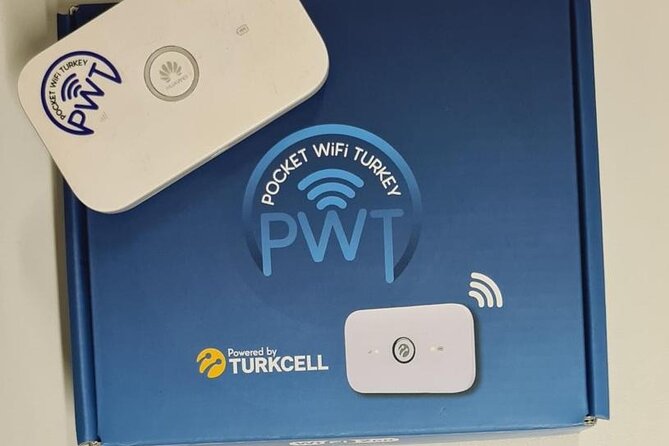
- Unlimited data on a pocket router: The device is built for continuous connectivity during your stay.
- Turkcell SIM registration by an official agent: They handle registration using your passport and paperwork.
- Istanbul Airport pickup at Tayakadın: You start at Istanbul Airport, in the Arnavutköy area (Terminal Caddesi address listed).
- Your own WiFi zone you can share: You can connect multiple people through the router.
- Support is positioned as 24/7: If there’s a problem, the provider points to the phone number on the box for help.
- Signal can be a weak spot in some situations: One reported experience had good service early, then loss of signal later.
What this Istanbul Pocket WiFi actually is (and what it isn’t)
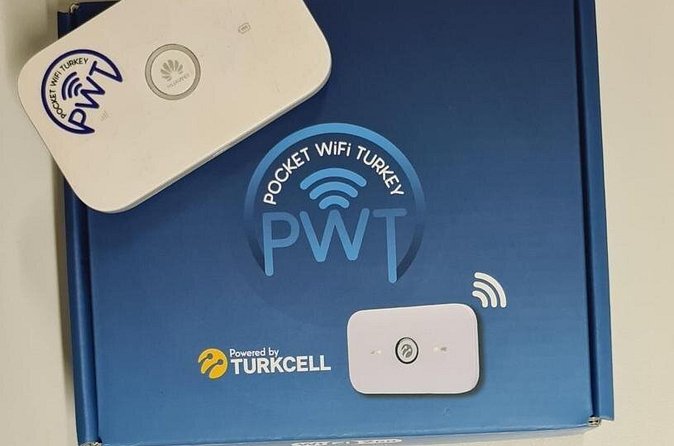
This isn’t a “WiFi finder” or a list of public networks. It’s a small router that creates its own WiFi network using mobile data. When you connect your phone (and anyone else’s devices you allow), you’re basically using Turkey’s cellular network through the router.
That setup is the big reason this works well in Istanbul. The city can be great for walking and transit, but you don’t always get reliable open WiFi where you want it. With a pocket hotspot, you’re not waiting for login screens, struggling with captive portals, or depending on cafes to keep their router alive.
At the same time, you’re still using cellular coverage. So your experience will be shaped by signal strength where you are. The rental company’s support process looks designed for quick troubleshooting, but like any mobile service, conditions can vary.
Istanbul Airport pickup: getting your router without drama
Your meeting point is Istanbul Airport, Tayakadın area (Terminal Caddesi No:1, 34283 Arnavutköy/İstanbul). The activity starts at 12:00 am on the listing, but the safest move is to rely on your booking confirmation for the actual pickup time window.
Plan for this part to feel like “arrival admin,” not a tour. You’ll be handing over your passport and completing registration steps. Once that’s done, the device can be activated with your data plan.
Why this matters: if you’re landing and immediately heading toward Sultanahmet, Galata, Kadıköy, or somewhere else, having connectivity right away can save real time. You can confirm routes, use translation tools, and quickly coordinate with your group.
One practical note: since your pickup point is at the airport, you’re reducing the risk of forgetting the router at home and realizing you need it later. For many people, airport pickup is exactly the right moment to solve the internet problem.
The Turkcell SIM registration step (passport + agreement)
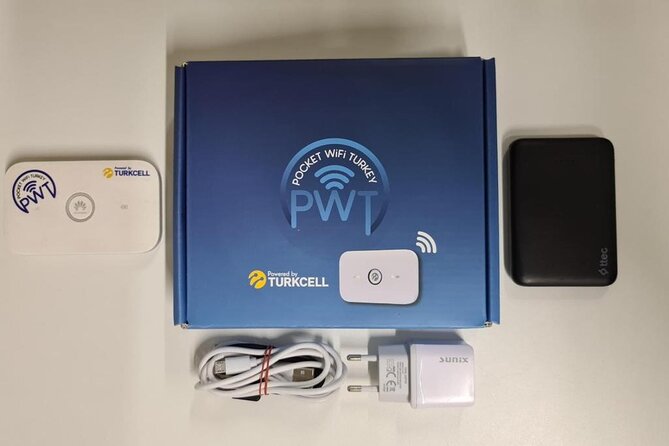
Here’s the key process: Pocket WiFi Turkey says it’s a Turkcell official agent, and it creates your Turkcell SIM registration on your behalf. To do that, you must provide your passport and sign a subscription agreement for the registration.
That’s normal for SIM-based travel setups, but it’s also the reason you should treat pickup as a real step—not something to rush. If you don’t have your passport ready, you may slow things down.
What I like about this system is that you’re not trying to figure out how SIM registration works in Turkey from scratch. Someone is doing the paperwork, and you’re walking away with a ready-to-use pocket WiFi device.
What you should consider: the registration paperwork means your internet plan isn’t just “plug and go.” It’s more like “activate with your documents first,” then start connecting.
Using your pocket WiFi zone across Istanbul
Once activated, the router creates a personal WiFi zone you can share with other people. In practice, that usually means you’re avoiding roaming surprises and staying consistent across multiple stops.
This is especially helpful if you’re traveling with friends or family and you don’t want everyone to juggle separate logins or data plans. One router can cover a lot of day-to-day needs when you’re out exploring.
It’s also helpful for coordination. One of the points that came up in the provided feedback was trouble reaching support through phone/WhatsApp when signal went missing. The lesson for you: keep the provider contact info in a place you can access immediately, because communication can become tricky when your connection isn’t working.
As for device behavior, the product promise is unlimited data. But remember: unlimited data doesn’t magically override weak coverage. If your route takes you somewhere with poor signal, you might still notice slowdowns or drops. That’s the tradeoff of cellular-powered WiFi anywhere in the world.
Price and value: when this $60.47 setup makes sense
The price listed is $60.47 per group (up to 1). That phrasing matters. It suggests your booking covers a single unit for your group, not a bundle for multiple routers.
So when is this a good value?
- When you want predictable connectivity for the whole trip duration (anywhere in the 1 to 30 days range listed).
- When you plan to use your phone a lot for maps, messaging, and finding your way.
- When you’d rather avoid the hassle of picking up multiple local SIMs or dealing with separate data arrangements.
When it’s less of a slam dunk:
- If you’ll be offline most of the time, or you already have an easy alternative like reliable hotel WiFi (not guaranteed, but possible).
- If you’re very sensitive to worst-case scenarios and want zero chance of troubleshooting.
Given the unlimited promise, I see this as a convenience purchase. You’re paying to stay connected easily, with the added benefit that setup is handled at the airport and tied to Turkcell registration.
What to do if signal fails (and how support fits in)
One of the included feedback experiences described a common travel frustration: the service worked great at first, then later the signal disappeared, making it impossible to reach support via phone or WhatsApp for an update.
The provider’s response matters because it gives you a concrete fallback: they say there’s a phone number on the box and you can reach them 24/7. That’s the practical part you can use if you run into problems, because you won’t be hunting for contact details when your WiFi is down.
So here’s the smart approach for you:
- Save the provider contact that’s printed on the box.
- Don’t rely only on apps if connectivity fails.
- If the router stops working, treat it like a support case, not a mystery you have to solve alone.
Also, the existence of that one signal-story doesn’t automatically mean this service is unreliable everywhere. But it does tell you to be ready to troubleshoot if your day hits a coverage weak spot.
The “itinerary” is really a trip workflow
This isn’t a multi-stop sightseeing tour. It’s a straight rental workflow with clear before-and-after steps. Here’s how to think about it like a traveler, start to finish:
Stop 1: Istanbul Airport pickup at Tayakadın
You arrive, present your passport, and complete the SIM registration paperwork. The reward for doing this right is that you can start using the WiFi while you’re still in transit around Istanbul.
Stop 2: Your stay in Turkey (device in use)
You carry the router as your personal WiFi zone. The point is constant access—enough to cover navigation and communication needs across neighborhoods.
Stop 3: Return to the same meeting point
Your activity ends back at the meeting point. That means you’ll bring the router back to the airport area for return, so don’t pack it in a way that makes last-minute returns stressful.
Because it’s a workflow, timing matters less in terms of sightseeing order, and more in terms of: do you land, pick up promptly, and return without scrambling.
Who should book Pocket WiFi Turkey Unlimited?
This rental fits best if you:
- Want unlimited mobile data without dealing with local SIM purchasing on your own.
- Plan to rely on your phone daily while navigating Istanbul.
- Are traveling in a small group and want to share one WiFi connection.
- Prefer the simplicity of airport pickup and return.
It may be less ideal if you:
- Only need occasional internet and could handle intermittent WiFi.
- Are very sensitive to service disruptions and want to minimize even small risk.
The good news is the experience says most travelers can participate, so it’s generally set up for typical visitor needs, not niche conditions.
Should you book this Pocket WiFi for Istanbul?
If your trip depends on being online—maps, messages, translations—this is a practical booking. The airport pickup, the Turkcell SIM registration handled by an official agent, and the ability to share the WiFi zone are real travel conveniences. And the provider’s 24/7 support claim (via the phone number on the box) gives you a way to respond if something goes wrong.
My “book it” advice is simple: do it if you want straightforward connectivity with minimal fuss. Just go in knowing there’s cellular coverage involved, and keep that box phone contact accessible so you’re not stuck when the signal acts up.
FAQ
How long is the Pocket WiFi rental in Turkey?
The rental duration is listed as 1 to 30 days (approx.), depending on what you choose when booking.
What does Pocket WiFi Turkey Unlimited include?
It’s an unlimited mobile WiFi service using a pocket wireless router that works with a SIM card.
Where do I pick up the Pocket WiFi device in Istanbul?
The meeting point is Istanbul Airport, Tayakadın area (Terminal Caddesi No:1, 34283 Arnavutköy/İstanbul, Türkiye).
Do I need my passport for the SIM registration?
Yes. You have to provide your passport to the employee for the Turkcell SIM registration.
Do I need to sign any paperwork?
Yes. You must sign the subscription agreement for registration of the Turkcell SIM card.
Can I cancel for free?
Yes, free cancellation is available. You can cancel up to 24 hours in advance for a full refund, based on local time.
Is support available if the WiFi stops working?
The provided feedback includes a response from the provider saying you can reach them 24/7 using the phone number on the box.